
Dressmaker Wiki · Progress · Build 410
Quality Score
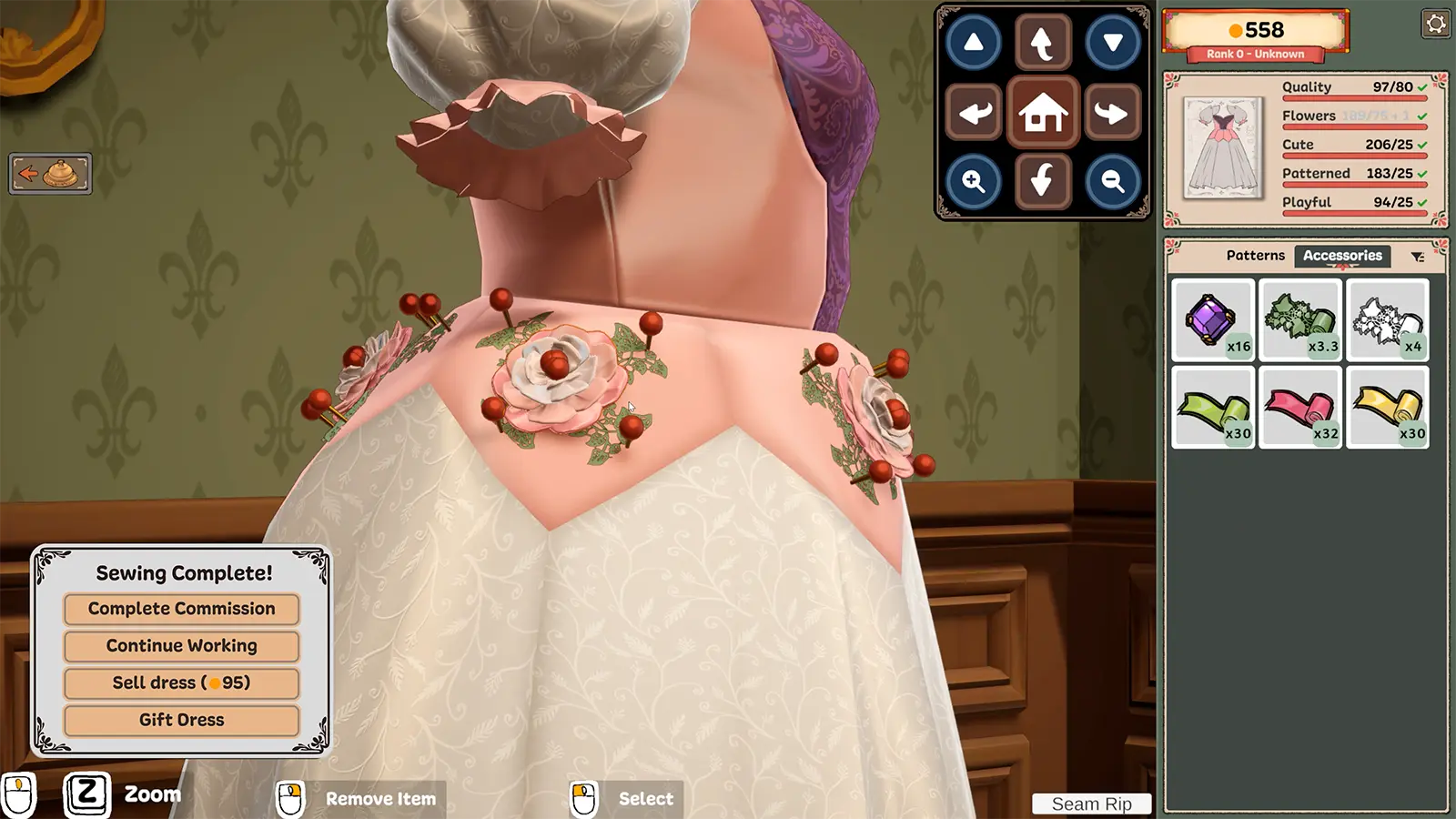
Quality is a scored requirement shown beside the style tags. Style tags prove the requested aesthetic; quality tracks how cleanly the garment was built.
Short answer. Treat quality as a construction score: place and cut the pattern carefully, keep seams accurate, and use the craft steps that show a quality meter before finishing.
01 / Player workflow
How it works and what to do
The sketchbook and dress progress panel show the current quality target. In the sewing scene, the meter rises while the machine follows the seam correctly.
02 / Requirements
Before you start
- 01
Meet the commission quality target, when one is listed.
- 02
Keep cutting and sewing steps inside their guides.
- 03
Finish the garment only after all visible targets pass.
03 / Core facts
At a glance
- Separate from
- Flowers, Cute, Romantic, and other style tags
- Visible in
- Sketchbook and dress progress panel
- Perfect score
- 100% quality
- Related achievement
- 99 Problems But A Stitch Aint One
04 / Field notes
Details that change the route
A dress can exceed a minimum target; the screenshot example shows quality beyond the required threshold.
Community testing reports that commission quality combines cutting grain, fit, and stitching, while client-free quality uses a different split. Treat the exact percentages as a version-sensitive player finding.
Poor mannequin fit can cap quality even when cutting and sewing are strong, so check bust, waist, and hip values before replacing fabric.
05 / Continue
Related entities and guides
Cutting Room
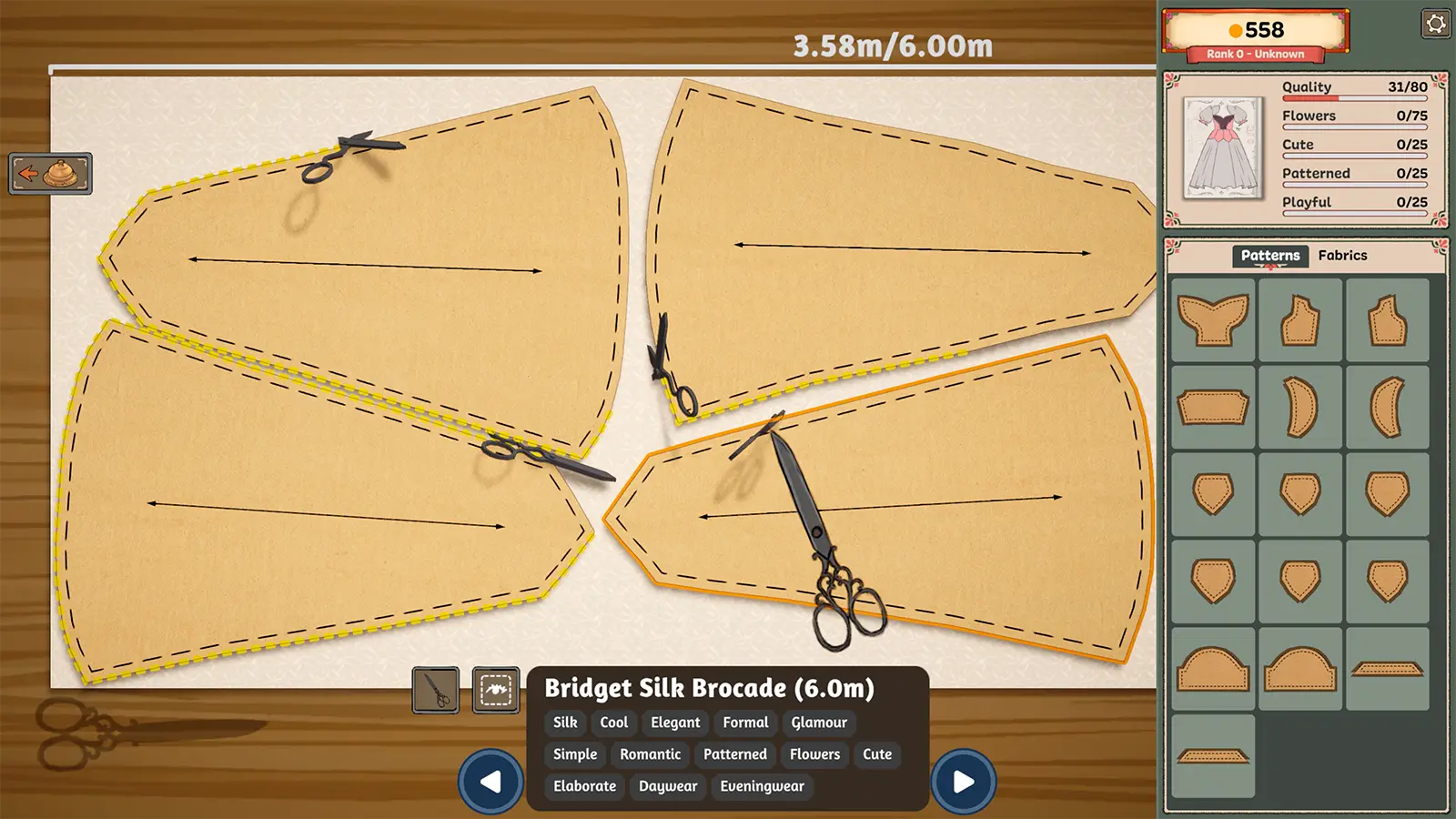
The cutting room turns a drafted pattern into fabric panels. Placement and grain direction affect the final dress, so cutting is more than tracing the shortest layout.
Open player answer ->
Sewing Machine
The sewing machine converts cut panels into a garment. Keeping the needle near the marked seam builds the quality score used by commissions and achievements.
Open player answer ->
Commission Requirements
Every commission combines a brief, budget, and visible tag targets. Treat those targets as the final checklist rather than choosing materials by color alone.
Open player answer ->